
Manage RAW Photos Without the Hassle

Browse, cull and organize RAW files from every major camera — no import, no proprietary catalog.
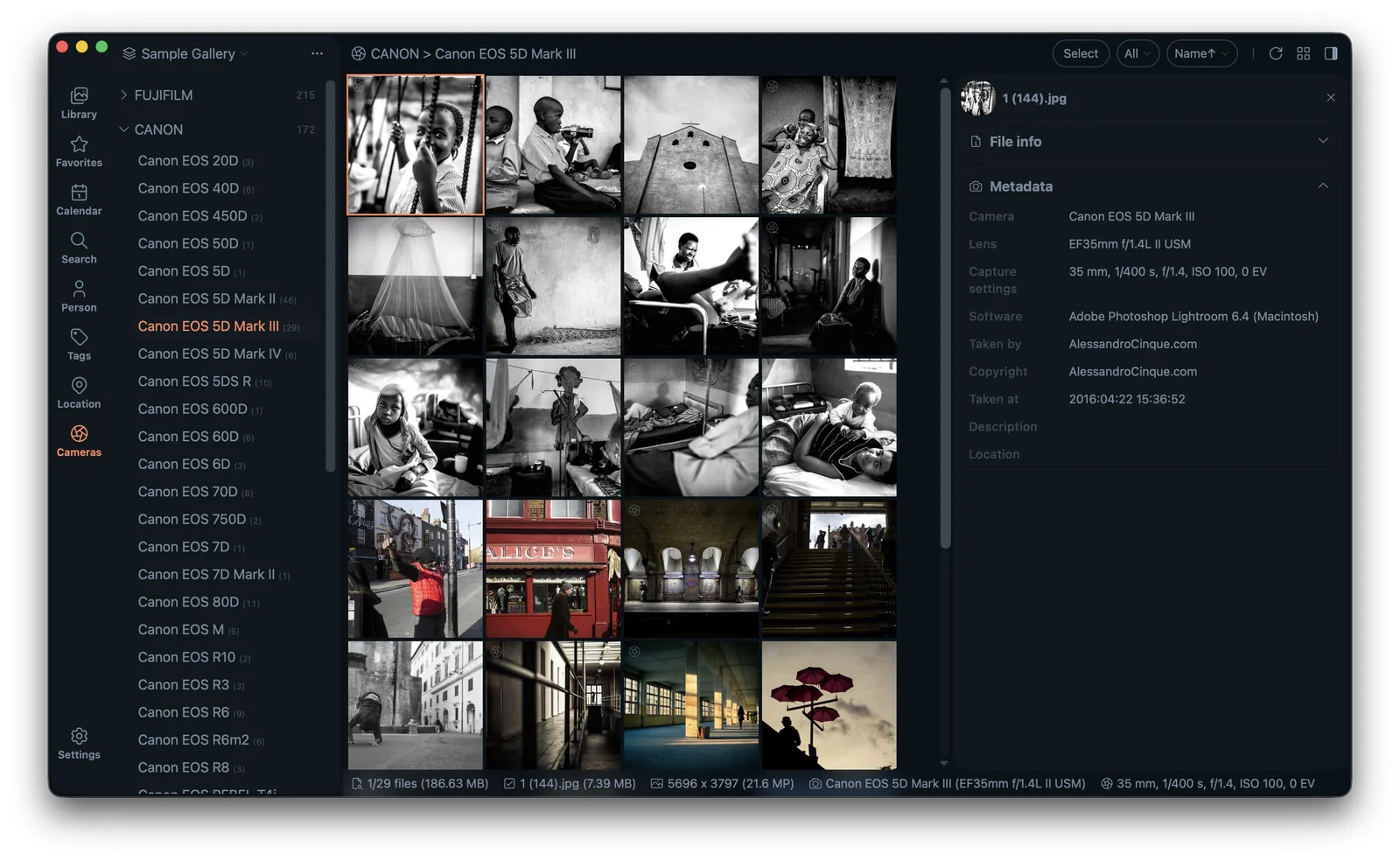
Lap RAW photo manager showing camera and lens filters

Lap decodes RAW files from Canon, Nikon, Sony, Fujifilm, Panasonic and more, so you can cull and organize straight from the memory card.

How it works

  1. 1. Decode RAW in place — Lap reads CR2, NEF, ARW and more directly from your folders — no import.
  2. 2. Pair RAW with JPEG — Group each RAW with its same-named JPEG/HEIC companion as one item.
  3. 3. Cull with comparison view — Use the four-pane viewer to pick keepers from near-identical frames.
  4. 4. Filter by camera and lens — Narrow by the gear that shot each photo — metadata only RAW carries reliably.

Key capabilities

Broad RAW support

CR2, CR3, NEF, ARW, RAF, RW2, ORF, PEF, DNG and more.

RAW + JPEG pairing

Group a RAW file with its JPEG/HEIC companion as one item.

Camera & lens filters

Filter by the gear that shot each photo.

Culling tools

Four-pane comparison to pick your best shots.

Who it's for

  • Photographers managing RAW+JPEG pairs from memory cards
  • Culling large shoots before editing
  • Anyone who wants RAW organization without Lightroom's catalog lock-in

FAQ

Which RAW formats does Lap support?

Lap supports 24 RAW formats including CR2, CR3, NEF, ARW, RAF, DNG, ORF and PEF via LibRaw.

Can I pair RAW with JPEG?

Yes. Lap can group a RAW file with its same-named JPEG/HEIC companion.

Try Lap free

No account, no upload — just a faster way to manage your photos.

Download Lap