 Lap
LapWho it's for
- Libraries with 100,000+ files that other apps can't handle
- Long-term archives that need to stay browsable
- Geotagged travel collections viewed on a map
Smooth browsing and organization across libraries with 100,000+ photos — without choking.
Most photo apps slow to a crawl once your library passes a few thousand images. Lap is built differently — it stays fast with 100,000+ files, so you can browse your entire history without waiting.
Optimized for very large local collections.
Scroll and filter without lag.
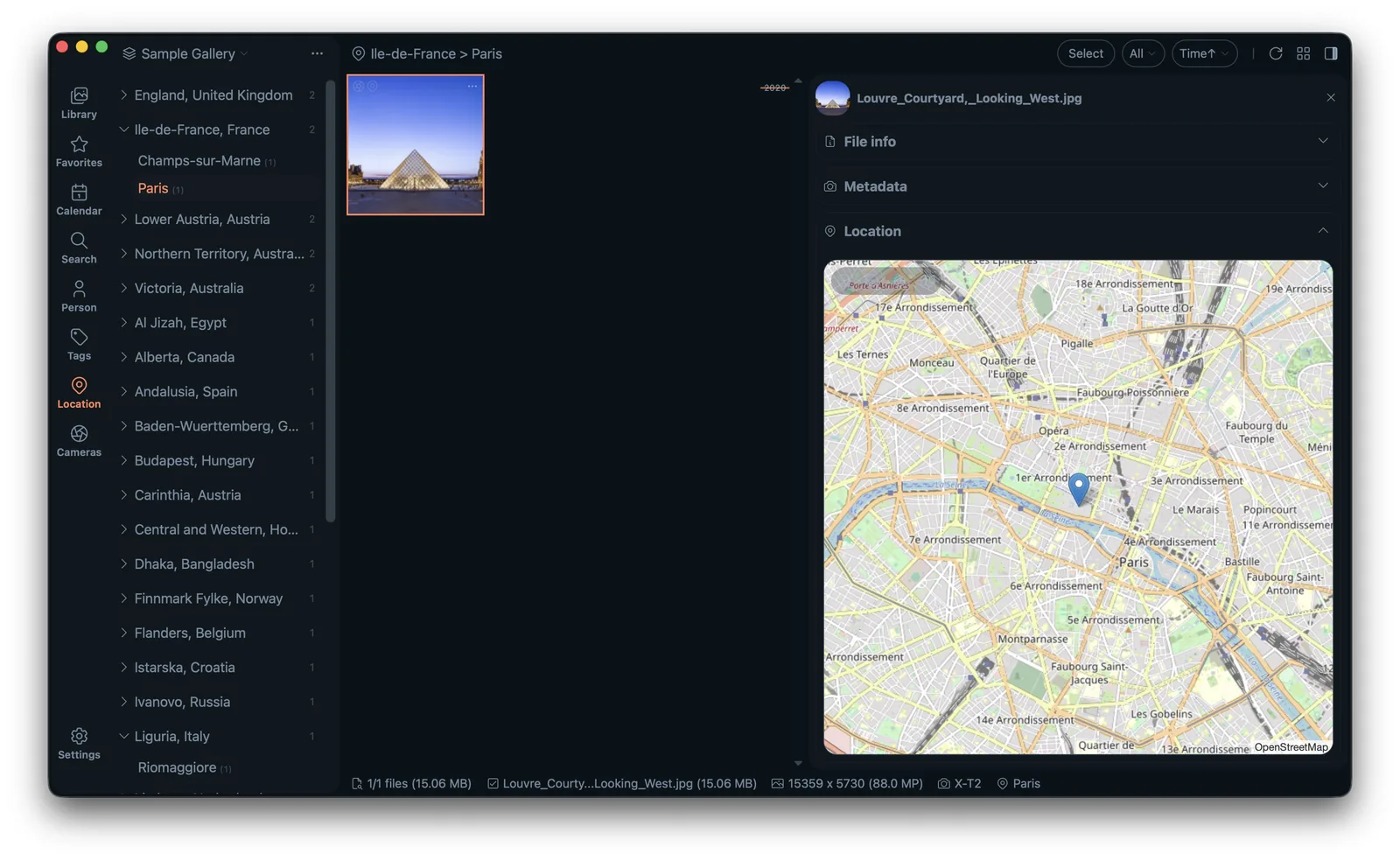
Browse geotagged photos on an interactive map.
Index new photos without blocking your workflow.
Lap is optimized for libraries with 100,000+ files.
No. Lap is designed to stay responsive with very large collections.
A photo app that keeps everything in one catalog and rebuilds every view on demand starts to struggle once a library passes a few thousand items. Lap takes a different route: it builds a local index and a thumbnail cache of your folders, so the heavy work happens once, in the background, instead of every time you scroll.
Your originals are never imported into a hidden database. They stay where they are, as ordinary files. Lap reads the EXIF already stored in them — capture date, camera, lens, GPS and orientation — and builds its index from that. Uninstall Lap and your photos are untouched.
One giant library is not always the answer. Lap supports multiple libraries, so you can keep family, work and client folders apart and open only the one you need. Import is folder-first: drag and drop, or copy and paste. New files can be organized into day, month, year or single-folder layouts, with original filenames kept and duplicates skipped on the way in.
When you rename, move, copy or delete files inside Lap, the catalog is updated at the same time, and grouped items — Apple Live Photo parts, RAW and JPEG/HEIC pairs, sidecars — stay together. Bulk work runs through collections and tags, which group selected files without moving or copying the originals.
Because Lap stores its catalog in a local SQLite database and works directly with your folders, you can back up that database next to your photos and rescan folders later to pick up changes made elsewhere. Renaming or moving files outside Lap is possible, but it can break the organization that lives only in the catalog, so do the important moves inside the app.
The full capability list — search, culling, editing, collage and duplicate cleanup — is on the features page. For the tool-by-tool view, start with the photo manager overview, then download Lap and point it at one library at a time.